
// For creators making AI video
AI Video Costs Pennies in 2026 but Nobody’s Talking About It
A new desktop app lets you skip the subscription and use your own API keys.
From idea to finished video in minutes. Watch the full workflow.
Buy on your phone, install on your computer anytime
// The latest models
 Seedance 2.0Coming Soon
 Kling 3.0
 Veo 3.1
// the problem
Sound Familiar?
Subscription math that never works
"I can't convey how much I hate subscriptions." Another $30-50/month. Cancel and you lose everything you built. 71% of creators say they'll never subscribe to AI.
The credit trap
80% of your credits never become a finished video. Thousands burned on failed generations. And they expire every month whether you use them or not.
Too many tools, too much friction
Juggling 3-5 different platforms. 2.5 hours a week just switching between them. Tracking API keys across systems. You're managing logistics, not making videos.
You're paying a middleman
Most AI video tools are wrappers reselling the same models at 3-5x markup. They choose which models you get. They set the price. They can change it anytime.
And here's what actually happens. You burn through a month of credits in one afternoon trying to get the perfect shot. You stop experimenting because each generation costs credits you might not get back. You get conservative. And conservative is where good creative work goes to die.
You're not creating anymore. You're budgeting.
// the real numbers
The Real Cost of a 2-Minute AI Film
Curious Refuge tested every major AI video platform on the exact same project. Same shots, same models, same 2-minute film.
Source: Curious Refuge · Cost shown uses Veo 3.1 at 4K — with Kling V3.0, the same film starts at ~$20
At $40/month, you'll spend:
For access you can lose any time.
One-time payment · No subscription ·
30-day guarantee
// the solution
Not a Wrapper. A Studio You Own.
“It's like buying Photoshop instead of renting Creative Cloud, but for AI video.”
One payment. Latest models. No middleman markup. Yours forever.
Pay once, create forever
No subscriptions. No monthly credits that expire. $29 and it's yours. Buy more credits when you need them. They never expire.
Desktop speed, not cloud queues
Slates runs on your machine. No waiting in generation queues. Direct API calls. Your generations start immediately, no throttling during peak hours.
Use any AI model the day it launches
Veo, Kling, and more. Switch in seconds. No model access locked behind higher tiers. New model drops? Try it for the cost of one generation.
Export straight to your editor
DaVinci Resolve XML, MP4 out, local file management. Files are already on your machine. No download step.
Want zero markup? Bring your own keys.
Paste your API keys from Google Cloud or fal.ai. Pay the provider directly at raw rates. No wrapper. No middleman. New to Google Cloud? You may qualify for $300 in free credits.
Storyboard to final export. One app.
Build scenes. AI writes camera directions. Generate all clips. Auto-compose to timeline. Edit. Export. Zero file management.
// capabilities
What You Can Create
Not a prompt box. Not a wrapper. A full AI video production studio on your machine.
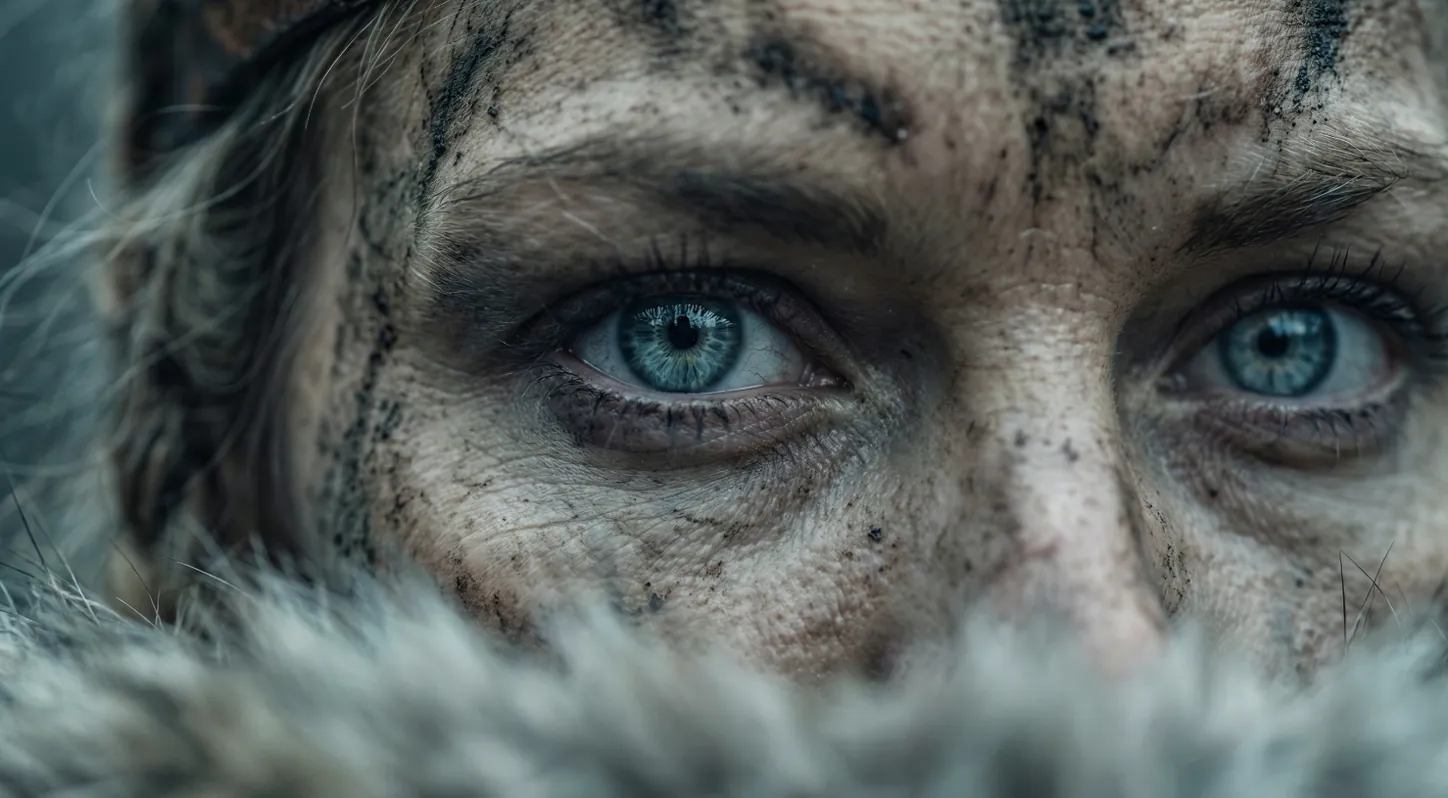 Veo 3.1
True 4K Video Generation
Native 4K output (3840×2160) via Veo 3.1. Most competitors cap at 1080p or gate 4K behind $250/mo tiers.
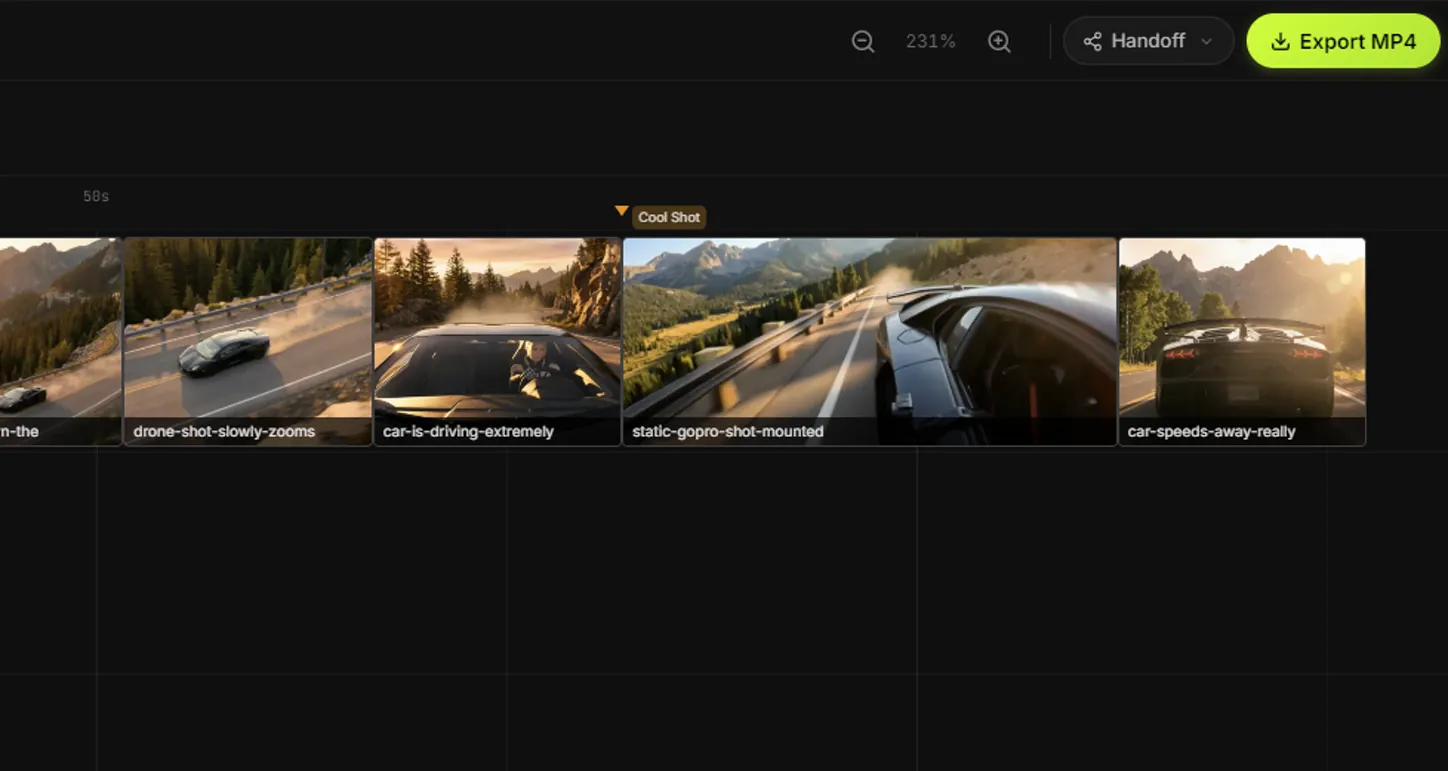 Kling 3.0
15-Second Multi-Shot Sequences
Up to 15 seconds with 6 camera cuts in one clip. Pick from 11 camera presets and 6 shot sizes per cut.
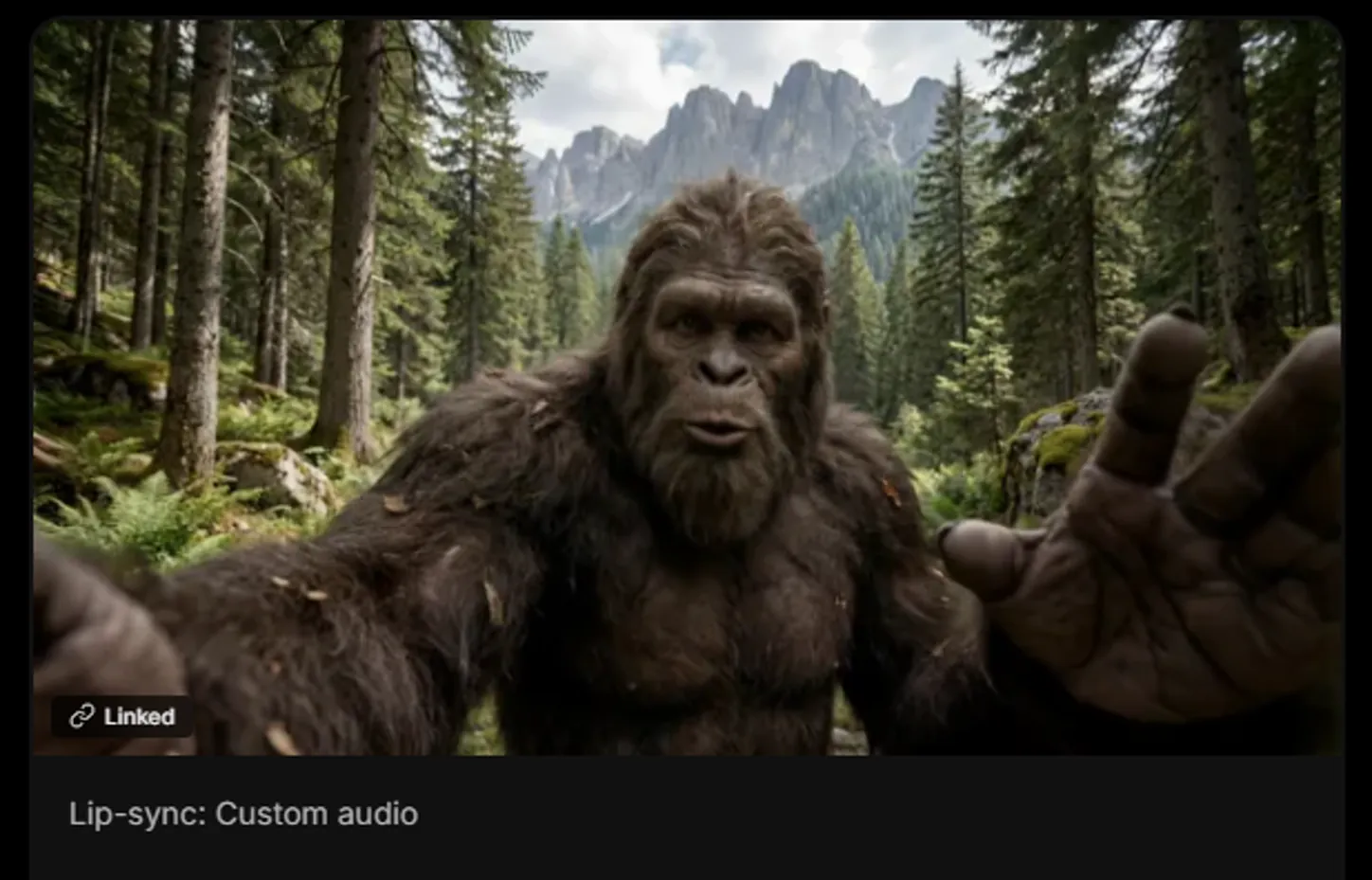 Multi-Speaker
Lip Sync + Multi-Character Dialogue
Upload a face + audio for talking heads. Or use Kling Omni for 3+ speakers with distinct voices and music generation.
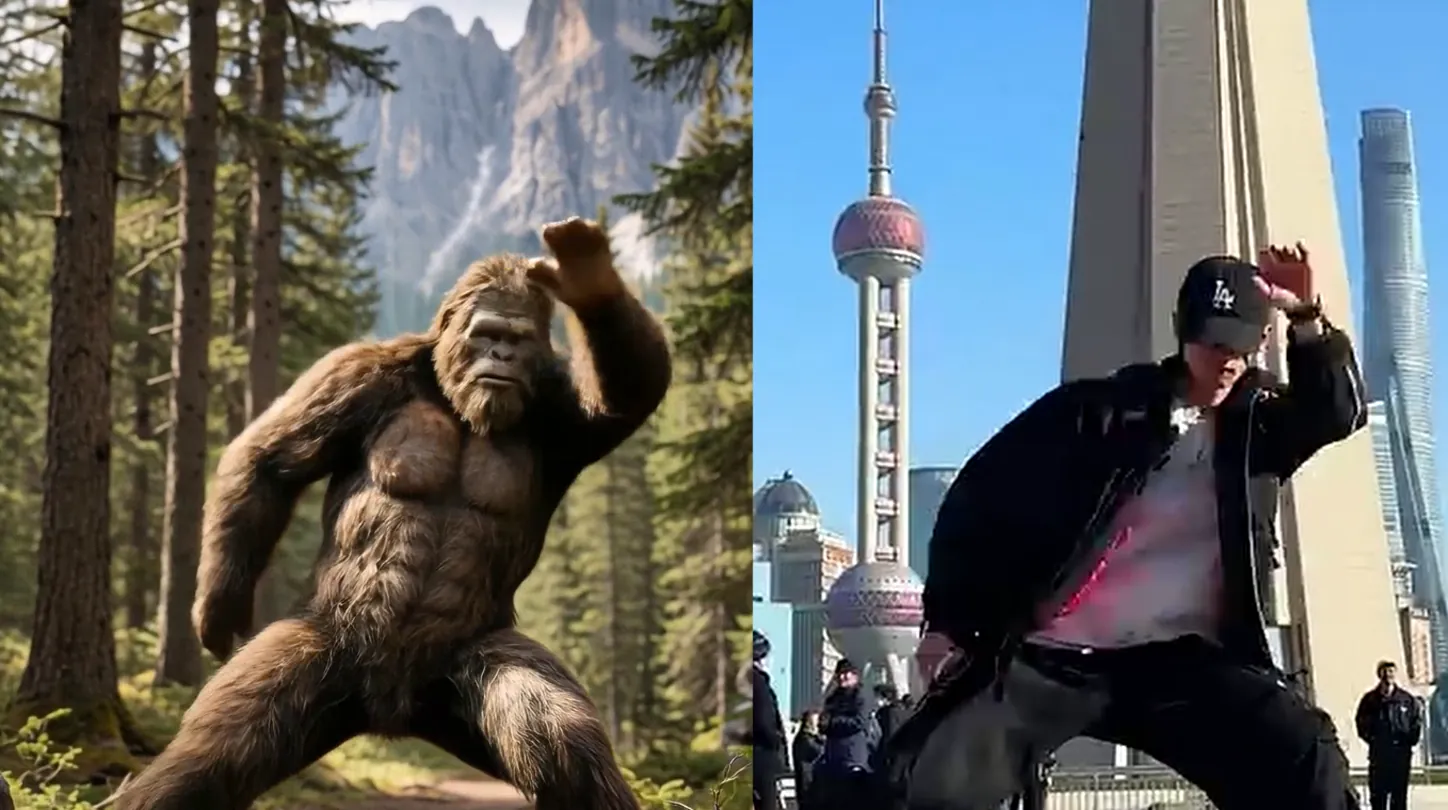 Any Movement
Motion Transfer
Record a dance, gesture, or any movement. Transfer it onto any AI character. Built right into your storyboard.
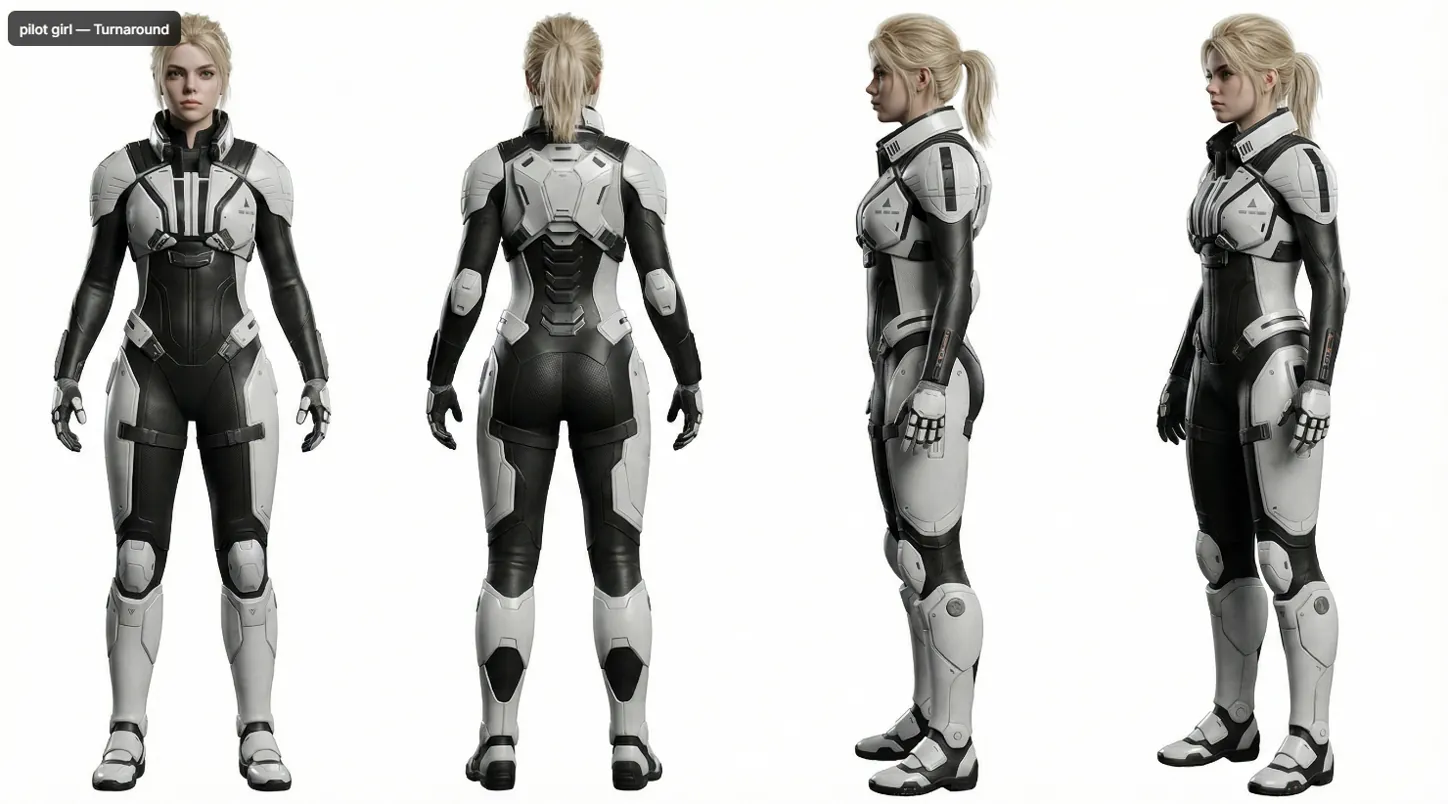 Cross-Scene
AI Character Consistency
Create @characters, @environments, and #styles. AI generates reference sheets. Mention them in any prompt. Consistent across every scene.
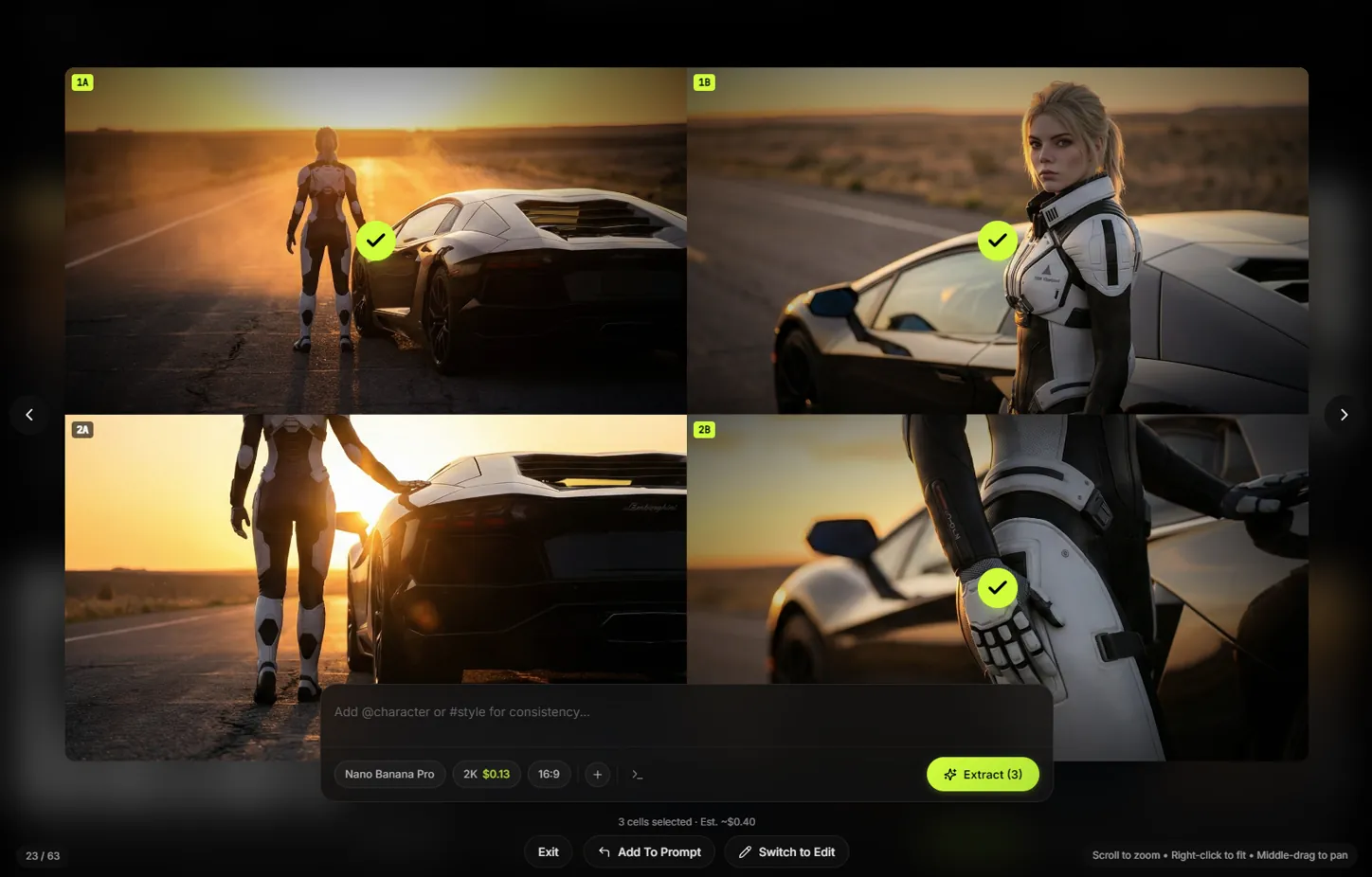 Save 89%
Grid Exploration + Batch Extract
Generate 9 variations for the cost of one. Pick the winners. Extract only what you want. $0.13 for a grid vs $1.17 for 9 separate generations.
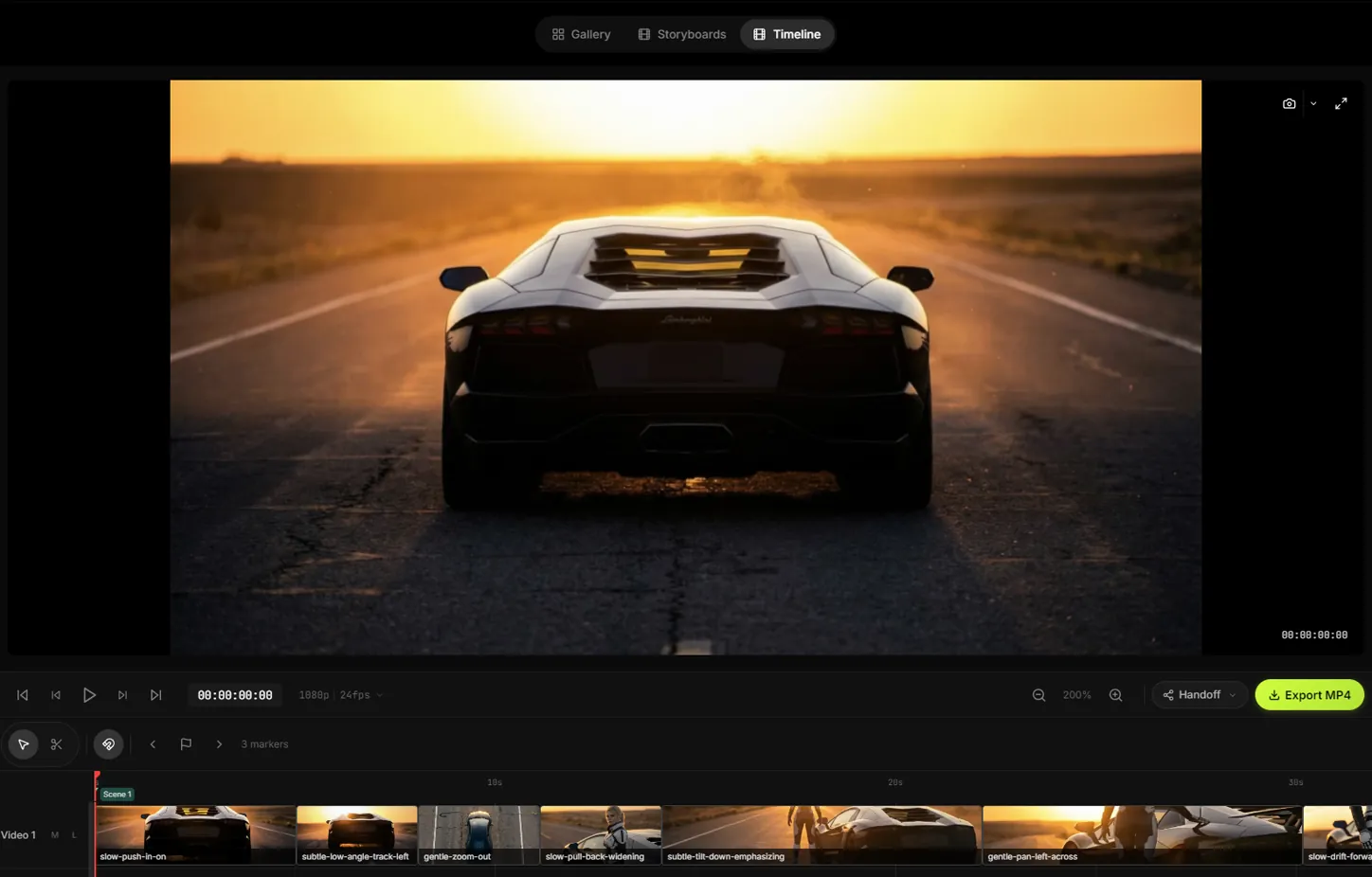 Pro Timeline
Built-In Video Editor
Multi-track timeline, razor tool, 7-color markers, frame-level trimming, 50-step undo. Export MP4 or DaVinci Resolve XML.
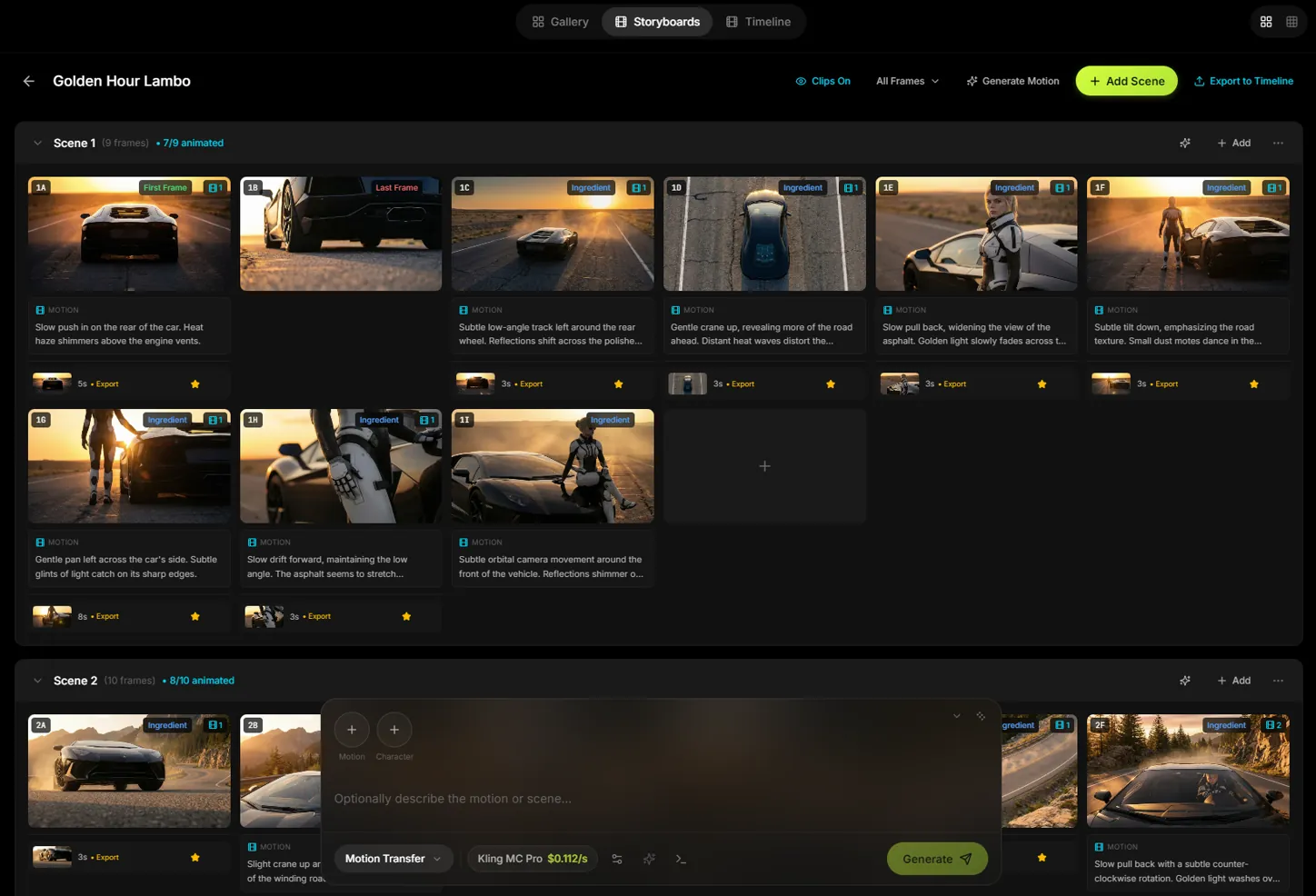 End-to-End
Storyboard → Timeline Pipeline
Build scenes. AI writes camera directions. Generate all clips. Auto-compose to timeline. Edit. Export. One app.
// ai transitions
Bridge Any Two Clips with AI
One click grabs the last frame of any clip. Another grabs the first frame of the next. Slates generates a seamless AI bridge between them. No manual work. Works with any footage: drone shots, phone recordings, AI clips.
Only possible in a desktop app. Web tools can't extract frames from your local video files.
// getting started
Three Steps. That's It.
Download & Open
Buy Slates. Open it. Credits ready to go. No nodes. No Python. No account setup. Generating in minutes.
Build Your Storyboard
Add scenes, write prompts, pick your model. Generate images and video shot by shot.
Create & Export
Hit generate. AI creates your video. Export or send straight to DaVinci Resolve.
// two ways to generate
Slates Credits
Start instantly. $10 free included with your purchase. Buy more when you need them. They never expire. No setup required.
Your Own API Keys
Paste your key from Google or fal.ai. Pay the provider directly at raw rates. Zero markup. Takes 2 minutes to set up.
Either way, $29 once. No subscriptions. Nothing expires.
No subscription · 30-day guarantee
// why not a subscription
Subscriptions vs Owning It
Higgsfield's $37/mo promo? It renews at $150/mo. Their “unlimited” plan isn't unlimited. Their credits expire every month. Users are walking away in droves.
Your tools don't expire. And we don't lie about what you're getting.
One-time payment · No subscription ·
30-day guarantee
// what creators say
Trusted by Creators
“The storyboard to timeline thing is what got me. You block out your whole sequence, hit generate, and it all just lands in the editor ready to cut. It actually feels like a real production tool.”

Robert Weaver
Founder, Brilliant Games
“You just type @character in the prompt and it pulls the right reference into every scene automatically. I don't have to dig through folders or paste anything. It just knows who they are.”

Sean Disero
Lighting Artist, Humanoid Origin
“I use it for concept art and previs for game cinematics. Being able to generate a bunch of variations in the grid and then pull only the ones I want saves me so much time in the ideation phase.”

Monique Mazereeuw
Senior Environment Artist, Skybox Labs
“I'm so tired of everything being a subscription. I just do this for fun on weekends. You buy it once and it's yours, no meter running. That's how it should be.”

Matt Rafuse
Finish Carpenter
“Tried like five different AI video tools before this. They all feel like web demos. This one actually has a timeline and keyboard shortcuts and stuff. It feels like software.”

Nolan Trevino
Editor, Boxcar Post
“The storyboard to timeline thing is what got me. You block out your whole sequence, hit generate, and it all just lands in the editor ready to cut. It actually feels like a real production tool.”
Robert Weaver
Founder, Brilliant Games
“You just type @character in the prompt and it pulls the right reference into every scene automatically. I don't have to dig through folders or paste anything. It just knows who they are.”
Sean Disero
Lighting Artist, Humanoid Origin
“I use it for concept art and previs for game cinematics. Being able to generate a bunch of variations in the grid and then pull only the ones I want saves me so much time in the ideation phase.”
Monique Mazereeuw
Senior Environment Artist, Skybox Labs
“I'm so tired of everything being a subscription. I just do this for fun on weekends. You buy it once and it's yours, no meter running. That's how it should be.”
Matt Rafuse
Finish Carpenter
“Tried like five different AI video tools before this. They all feel like web demos. This one actually has a timeline and keyboard shortcuts and stuff. It feels like software.”
Nolan Trevino
Editor, Boxcar Post
“I run a candle business and I could never justify paying someone to shoot product videos for every launch. Now I just make them myself and they actually look on brand.”

Sarah Swanson
Small Business Owner
“I've been messing with AI video tools for my music stuff and this is the first one where I didn't have to bounce everything out to another app just to put clips together.”

Marshall Rasmussen
Musician & Producer
“I don't make content or anything, I just wanted to put together birthday videos for my girls. Had it done in like 20 minutes. The grid where you pick from 9 options is so good.”

Brian Bento
Pest Control Technician
“I shoot drone footage for local businesses and the AI transitions between clips are insane. I used to spend hours in After Effects just to get a smooth sequence. Now I drop my aerials in, generate transitions, and it looks like I hired a whole post house.”

Dee-Jay Valenzuela
Drone Videographer
“The DaVinci Resolve export is clutch. I generate everything in Slates and then do my final color and audio in Resolve. It actually fits into a real post workflow.”

Priya Chandran
Weekend Filmmaker
“I run a candle business and I could never justify paying someone to shoot product videos for every launch. Now I just make them myself and they actually look on brand.”
Sarah Swanson
Small Business Owner
“I've been messing with AI video tools for my music stuff and this is the first one where I didn't have to bounce everything out to another app just to put clips together.”
Marshall Rasmussen
Musician & Producer
“I don't make content or anything, I just wanted to put together birthday videos for my girls. Had it done in like 20 minutes. The grid where you pick from 9 options is so good.”
Brian Bento
Pest Control Technician
“I shoot drone footage for local businesses and the AI transitions between clips are insane. I used to spend hours in After Effects just to get a smooth sequence. Now I drop my aerials in, generate transitions, and it looks like I hired a whole post house.”
Dee-Jay Valenzuela
Drone Videographer
“The DaVinci Resolve export is clutch. I generate everything in Slates and then do my final color and audio in Resolve. It actually fits into a real post workflow.”
Priya Chandran
Weekend Filmmaker
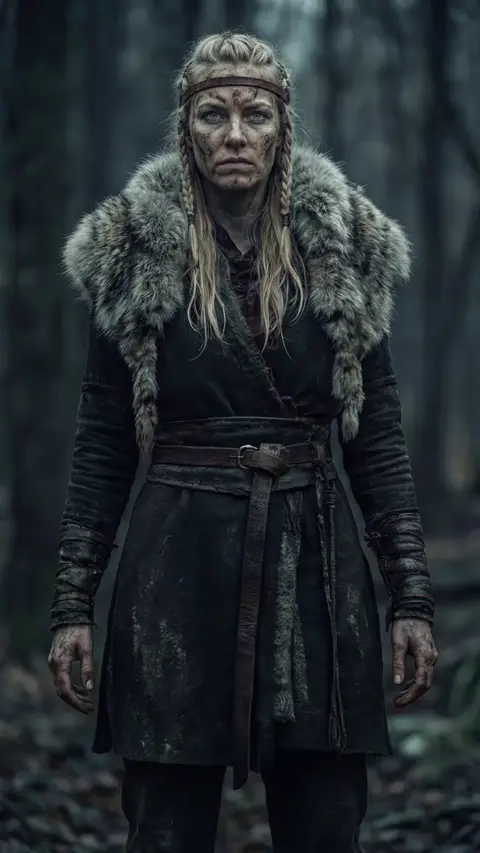
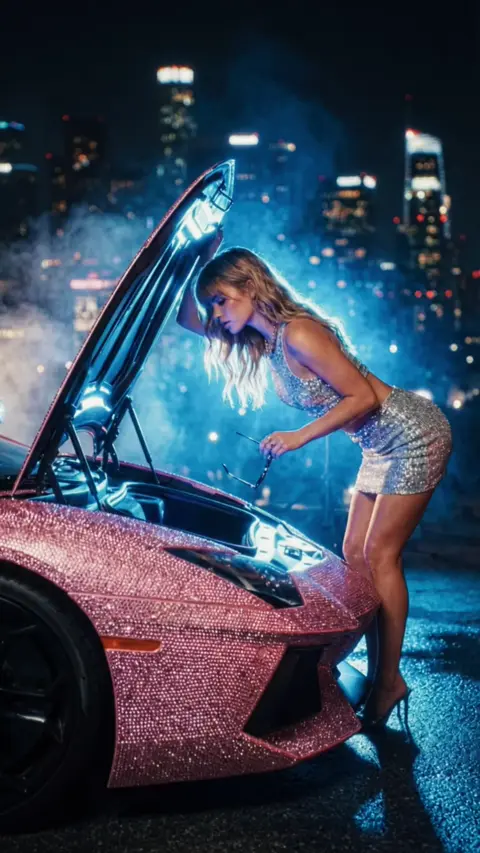
Made with Slates




// built for
Is This For You?
Content Creators
TikTok, Reels, Shorts. Produce AI video content at scale without monthly costs.
Marketers & Agencies
Stop juggling 3-5 platforms for client work. One app for ad creative, batch variations, and direct export to your editing suite.
AI Filmmakers
Storyboard, generate, and edit. All from your desktop. No cloud queues. No expiring credits.
Every buyer gets direct access to the Founders Discord. Request features and I'll build them. Your workflow shapes the product.
// privacy & ownership
Your Machine. Your Data. Your Control.
Built to Keep Working
- Generation crashes? Slates recovers them automatically.
- Offline? Full editing works with no internet.
- No session timeouts. Leave a batch running overnight.
Zero Data Collection
- We don't collect your prompts, your videos, or your usage data.
- Your creations stay on your machine. Period.
Two Ways to Generate
- Use Slates Credits for zero-setup ease.
- Or bring your own API keys. They never leave your device.
- Either way, you're in control.
“Thank you for not making this a subscription. I love that you buy it once and it's yours.”
You already know the subscription math doesn't work.
The only question is whether you keep paying one anyway.
// risk-free
30-Day Money-Back Guarantee
Try Slates for a full month. Don't love it? Email us. Full refund. No questions. No hoops to jump through.
We give you 30 days because one test project doesn't tell you anything. That's enough time to know if it actually fits how you work.
// founder's offer
Ready to Stop Paying Monthly?
Join creators who own their AI video studio.
Launch Price · Limited time
One-time payment · No subscription ·
30-day guarantee
// questions
Frequently Asked Questions
Yes. $29 once. No subscription. No hidden fees. No renewal. You own Slates forever. Updates included for 12 months (Founders era).
30-day money-back guarantee. No questions asked. Email us, get your refund within 48 hours. We'd rather you try it risk-free than wonder "what if."
Every purchase includes $10 in free credits. Use them to generate images and videos. No API keys needed, no setup. When your balance runs low, buy more credits in the app ($25, $50, or $100 packs). Credits never expire. You pay per generation, just like API usage, except there's nothing to configure. It just works.
No. Credits work out of the box. But if you want zero markup on generations, you can add your own API keys from Google Cloud or fal.ai (we walk you through it, takes 2 minutes). It's the power-user path for maximum control and lowest cost per generation. New to Google Cloud? You may qualify for $300 in free credits (90-day trial for new accounts).
It depends on the model and clip length. A 4-second Veo 3.1 Fast clip runs about $0.60. A 5-second Kling V3.0 clip is about $0.84. No monthly minimum, no credits expiring, no model access locked behind higher tiers.
The latest video AI models: Google Veo, Kling, and more as they launch. New models are available the day they're released. No waiting for platform support.
Slates runs on Windows 10/11 and macOS 12+. It's a native desktop application. No browser required, no internet needed for editing.
Buy now, download later. After purchase, we send a download link to your email. Open it on your computer and install in one click. Your purchase is saved to your account.
Most AI video platforms are wrappers. They resell the same AI models you could access directly, often at 3-5x markup. Slates gives you those same models for a one-time $29 with $10 in free credits to start. With credits, you pay similar rates through us. With your own keys, you pay the provider directly. Zero markup. Either way, no subscription.
No. Slates is full video generation, not a prettier prompt box. You get 4K video output (Veo 3.1), 15-second multi-shot clips with 6 camera cuts (Kling V3.0), lip sync, motion transfer, and direct export to DaVinci Resolve XML.
Yes. Updates are included for 12 months with the Founders Pack. The roadmap is public. After 12 months, major version upgrades are available at a discount for existing owners.
Absolutely. Lip sync for talking heads, motion transfer for dance and reaction videos, 9:16 vertical format for TikTok/Reels/Shorts, and batch generation for testing variations.
Yes, and it's one of Slates' best features. The @character, @environment, and #style system uses plain text. Tell any LLM your characters and styles, it generates prompts with all references tagged. Paste into Slates and everything auto-attaches.
Yes. A real one. Multi-track timeline, razor tool, frame-level trimming, 7-color markers that export to DaVinci Resolve, 50-step undo, and resolution presets up to 4K at 24/30/60fps.
// still have questions?
Ask your AI about Slates
Copy our complete product reference and paste it into ChatGPT, Claude, Gemini, or any LLM. Instant answers about every feature, workflow, and setting.
~6,000 tokens. Fits in any model.