
Seedance 2.0: ByteDance's Audio-First AI Video Model
Seedance 2.0 is ByteDance's AI video model. It generates 4 to 15 second clips with synced audio baked into the same generation pass, at 480p, 720p, 1080p or native 4K. Raw provider pricing runs from $0.07 per second at 480p to $0.78 at 4K, far cheaper than CapCut Pro's subscription markup. Slates ships it on credits.
| Resolution | Per second | 10-second clip | Audio |
|---|---|---|---|
| 480p | $0.07/s | $0.70 | Included |
| 720p | $0.15/s | $1.50 | Included |
| 1080p | $0.37/s | $3.70 | Included |
| 4K | $0.78/s | $7.80 | Included |
Raw provider rates, derived from the Slates model registry and re-checked on every build. Slates bills in credits at its own rate, shown on the Generate button before you commit. 4K video export is a Slates Pro feature.
What Seedance 2.0 actually does
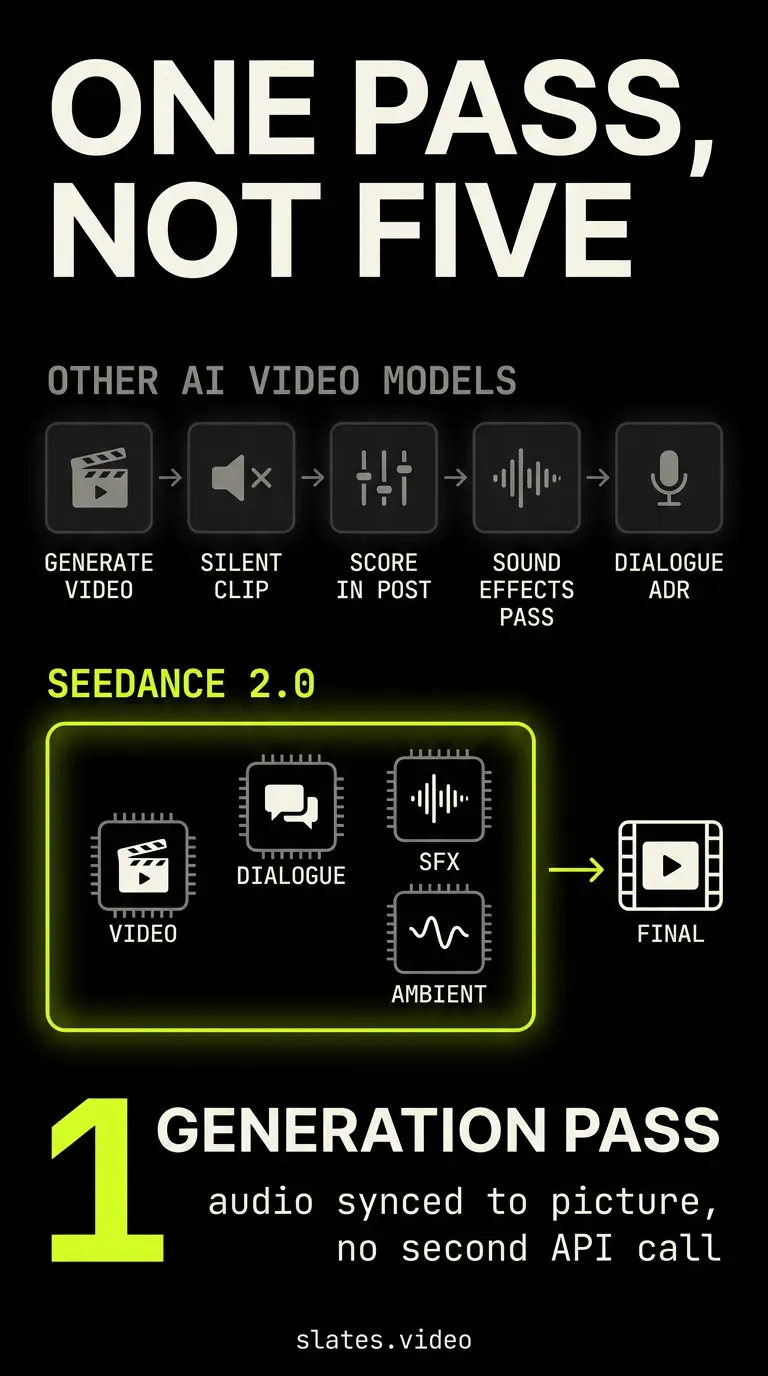
Seedance 2.0 is ByteDance's text-to-video and image-to-video model. It outputs short clips with audio generated in the same pass as the picture.
That audio-first design is the thing that makes it different from everything else on the market.
Most other video models give you silent footage. You score the audio in post. You spend an extra hour matching sound effects to visual events. Seedance bakes the sound effects, ambient noise, and any spoken dialogue right into the clip during generation.
The model launched publicly in early April 2026 after a few weeks in private beta. It runs from 480p all the way to native 4K, and clip length is generous: anywhere from 4 to 15 seconds in a single generation. Most competitors top out at 5 to 10 seconds per clip.
If you're coming from CapCut or Dreamina, you've already used Seedance. It's the same model that powers the video generation features inside both apps.
The difference is that going through CapCut means a monthly subscription with credit caps. Going through the raw API means you pay per second of footage you actually generate. And nothing else.
Real pricing breakdown
Seedance 2 has one price knob, and it's resolution. There are no speed tiers and no watermark to pay your way out of.
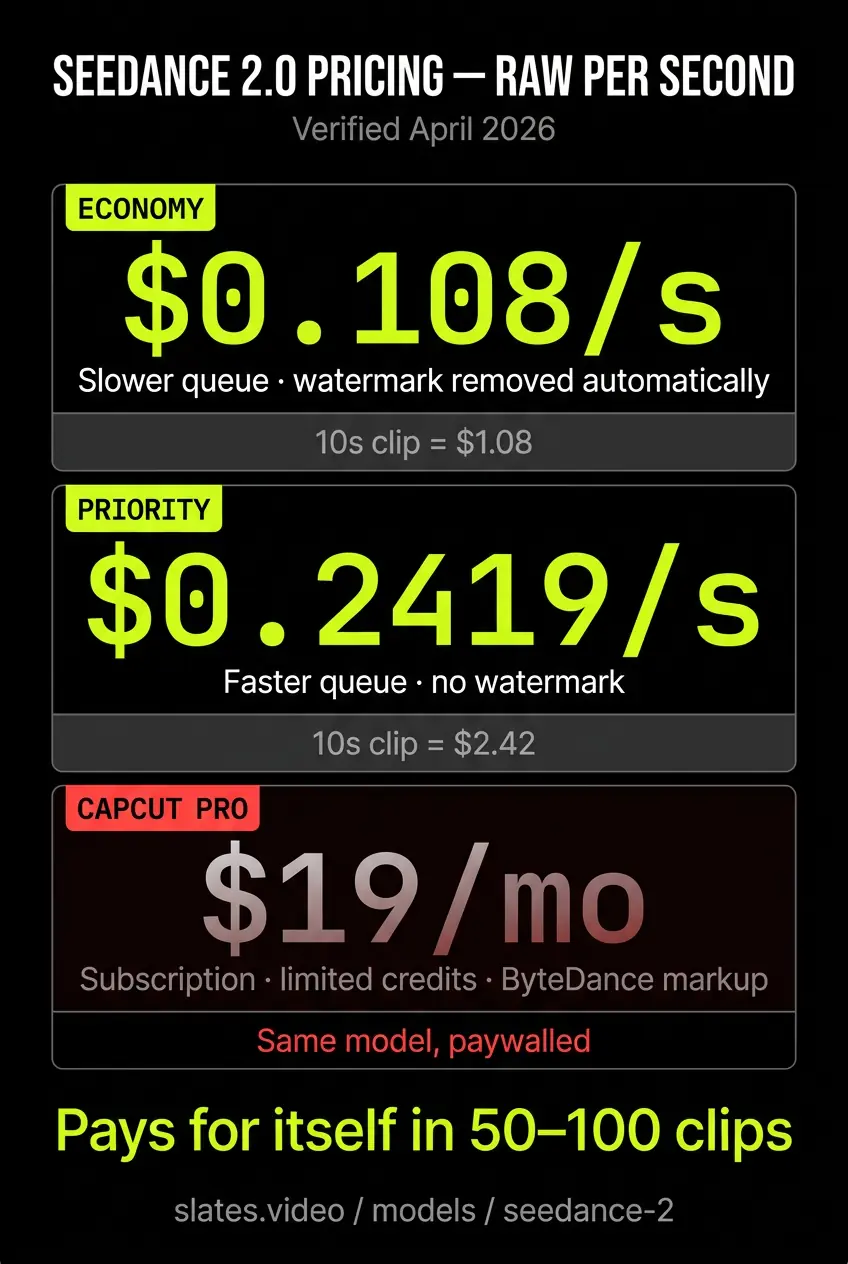
Raw provider pricing runs $0.07 per second at 480p, $0.15 at 720p, $0.37 at 1080p, and $0.78 at native 4K. Audio is generated in the same pass at no extra charge on every one of them, which is the part that quietly saves the most money.
That ladder is steep on purpose, and it should change how you work. A 10 second draft at 480p is 70 cents. The same 10 seconds at 4K is $7.80. So block the shot cheap, then re-run the keeper at the resolution you're actually delivering in.
Compare that to CapCut Pro at $19.99 per month for 1,200 AI points, or Dreamina at similar pricing with similar caps. In Slates the same model runs on credits that never expire, and 4K video export is a Slates Pro feature.
But if you're generating more than a handful of clips a month, per-second beats a subscription easily.
Where Seedance fits in a real workflow
Seedance is the right call when the shot needs audio in the clip and the subject is a product, an environment, or a stylized character. Product launch shots are a great fit. Food and beverage close-ups work well. Ambient nature footage too. The audio sync alone saves an entire pass of post-production sound design.
Faces are the part most write-ups get wrong. ByteDance's own endpoint applies strict moderation to human references after legal pressure around deepfake misuse, which is where the "Seedance can't do characters" reputation comes from. It is no longer the whole story.
Slates sends the generation to a different provider depending on what is in your reference, and you choose it in the model picker rather than discovering it mid-render. Faceless work, meaning products, environments, food and ambient footage, takes the first-party route, which is the cheapest and the default. An AI-generated character's face takes a relaxed route that accepts it, shown as its own picker row at its own higher price. A real person's face, with their consent, takes a separate premium route that asks you to confirm you hold the rights to that likeness before it runs. Public figures fail everywhere, on every model.
So the honest version is that Seedance is excellent for characters, as long as the generation goes to a route that will take the face. That is what the extra picker rows are for.
Slates also ships Seedance 2.5, which is a second seat rather than a replacement. It buys one 30 second take instead of 15 and a much larger reference budget, including audio-only references. It runs at 480p, 720p or 1080p and gives up native 4K entirely, and it costs more than 2.0 at every resolution the two share. Reach for 2.5 when length or reference count is the point. Stay on 2.0 for 4K, or for the same resolution at a lower price.
For everyday coverage, Kling 3.0 is the cost-effective workhorse and holds identity from a start frame extremely well. Most production workflows run Kling for the bulk of the shots and escalate to Seedance for hero moments and anything physics-heavy. That's why Slates exposes them side by side. Same tool, same timeline, no juggling between providers.
How to use Seedance 2.0 without a CapCut subscription
The fastest path is to install Slates, pick Seedance 2.0 in the model picker, choose a resolution, write your prompt, and generate. The exact credit cost shows on the Generate button before you commit, so the resolution ladder is never a surprise. The desktop app handles the generation and the file management for you.
The cost difference between credit-based access and a CapCut subscription pays for itself within the first 50 to 100 clips. After that, you're just keeping the savings.
Frequently asked questions
What is Seedance 2.0?+
Seedance 2.0 is ByteDance's AI video generation model. It outputs 4 to 15 second clips with synced audio generated in the same pass as the video, at anything from 480p to native 4K. It's the model that powers video generation in CapCut and Dreamina, and it's also reachable without either subscription.
How much does Seedance 2.0 cost per second?+
It depends entirely on resolution, and the spread is wide. Raw provider pricing is $0.07 per second at 480p, $0.15 at 720p, $0.37 at 1080p, and $0.78 at native 4K, with audio included at every step. Slates bills that in credits and shows you the exact cost on the Generate button before you commit to it.
Does Seedance 2.0 always generate audio?+
Yes. Audio generation is built into the model architecture and runs in the same pass as the video. Every clip includes sound effects, ambient audio, and any dialogue that fits the prompt. There's no toggle to disable it and no separate charge for it. If you don't want the audio, mute it in your editor after generation.
Can Seedance 2.0 use a face reference?+
Yes, as long as the generation goes to a route that accepts it. ByteDance's own endpoint refuses most human face references after deepfake-related legal pressure, which is where the reputation comes from. Slates routes an AI-generated character's face to a relaxed provider that accepts it, shown as its own row in the model picker at its own price, and a consented real person to a separate premium route behind a rights confirmation. Public figures fail on every route.
What is the difference between Seedance 2.0 and Seedance 2.5?+
2.5 is a second seat, not an upgrade. It runs one take up to 30 seconds instead of 15 and takes a much larger reference budget, including audio-only references. It runs at 480p, 720p or 1080p, has no native 4K, and costs more than 2.0 at every resolution the two share. Pick 2.5 when length or reference count is the point. Pick 2.0 for 4K, or for the same resolution at a lower price. Slates ships both.
Is Seedance 2.0 better than Kling 3.0?+
They're built for different jobs. Seedance is better when you need audio in the clip, when you're generating product or ambient footage, and when you want the lowest cost per second. Kling is better for character work, for multi-shot dialogue scenes, and for projects where you need precise camera control. Most production workflows benefit from using both depending on the shot.
Related
Run Seedance 2.0 without the subscription
Slates runs Seedance 2.0 from 480p to native 4K on pay-as-you-go credits. No CapCut Pro, no monthly credit caps, just a real timeline editor and a price you see before you generate.
Get Slates